AI photo editor with
prompt-based workflow
Write one sentence and get a polished result in seconds. Photoprompt gives individuals a prompt-based photo editing workflow for background changes, cleanup, style edits, and upscaling.
100k+ photos edited with just words
- Built for creators, freelancers, and side hustlers
- First result in under 10 seconds
- Free monthly credits — no card needed
- Edit with words, not tools
Sound familiar?
Still spending too long
on edits that should be simple?
What editing used to feel like
With Photoprompt
Prompt based photo editing
Every common photo edit
in one workflow
Skip the app-hopping. Use one AI photo editor with prompt controls for cleanup, background changes, style updates, and quality boosts.
Describe the edit in plain language
Type what you want, like 'remove the background' or 'make the sky dramatic,' and get a usable result fast.
Edit existing photos or create from scratch
Upload your own image or start from a prompt. The workflow stays the same, so there is no new tool to learn.
Upscale when quality matters
Increase resolution for better detail when you need cleaner results for listings, portfolios, or print.
Expand the image beyond its edges
Use prompt-based outpainting to add space around your subject and fit new crops without awkward cutoffs.
Remove and replace backgrounds quickly
Create cleaner cutouts for profile photos, product shots, and social posts without manual masking.
Clean distractions in one prompt
Remove unwanted objects and visual clutter so attention stays on the subject you want people to notice.
How it works
How to edit photos with AI
in three simple steps
Upload your photo or start with a prompt
Add the image you want to improve, or generate from scratch. You can start in seconds without setup.
Type the edit exactly how you would ask a person
Use simple instructions like 'remove the background,' 'make this look cinematic,' or 'clean the distractions.'
Refine quickly, then export your final image
If the first result is close, add a follow-up prompt and iterate. When it looks right, download and use it anywhere.
Real prompts, visible outcomes
See what one sentence can change
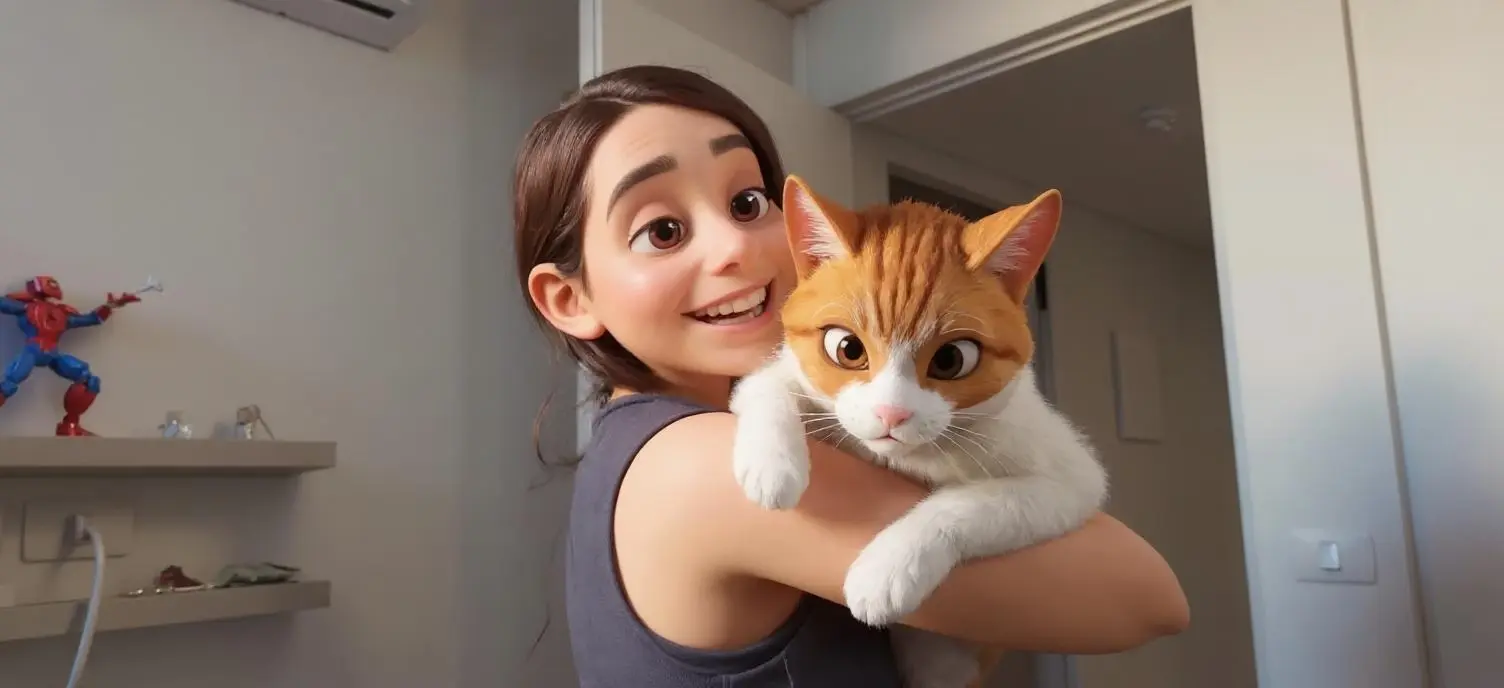
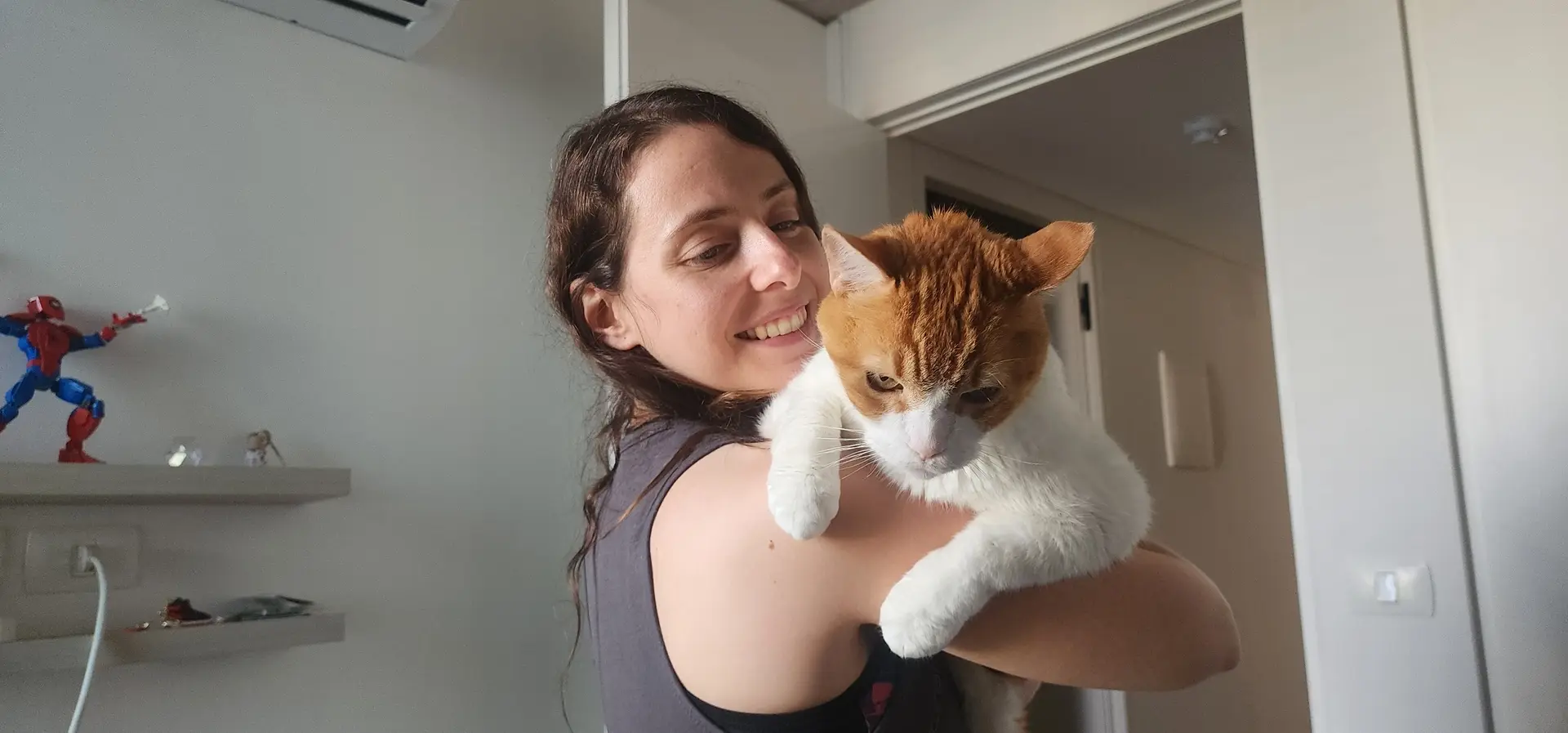
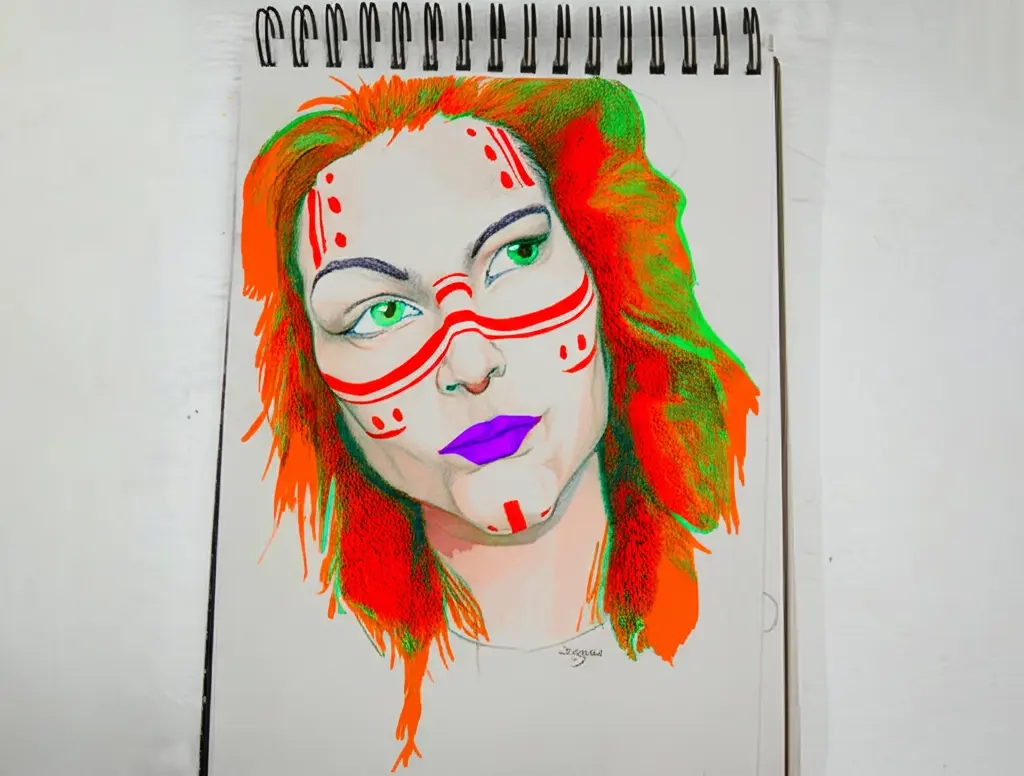
Every before/after came from a single photo editing prompt. Drag each slider to inspect the change, then copy the exact prompt style for your own images.
Prompt used
"Change the style to Pixar"
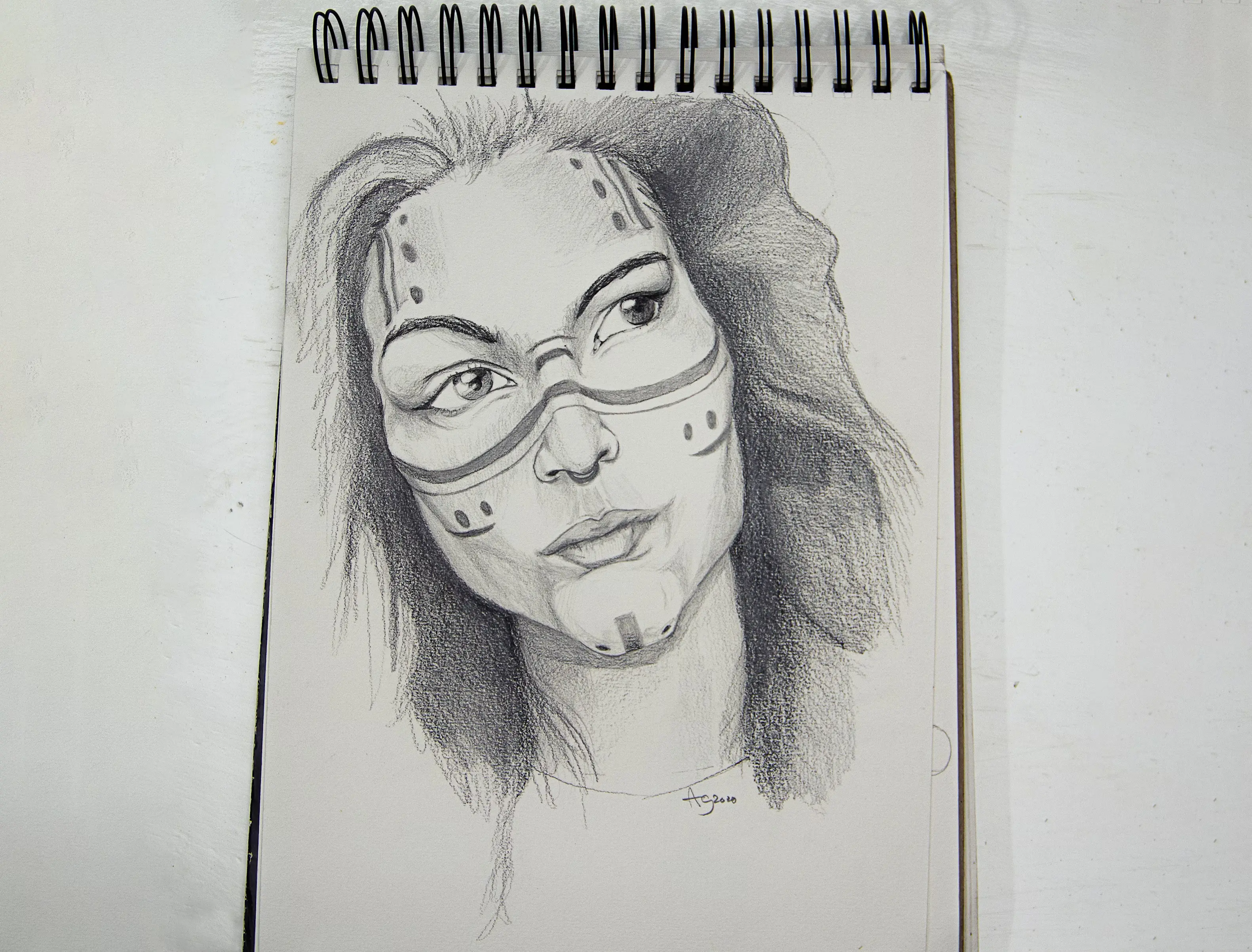
Prompt used
"Add vibrant colors to the tribal markings and hair, giving the sketch a modern twist"
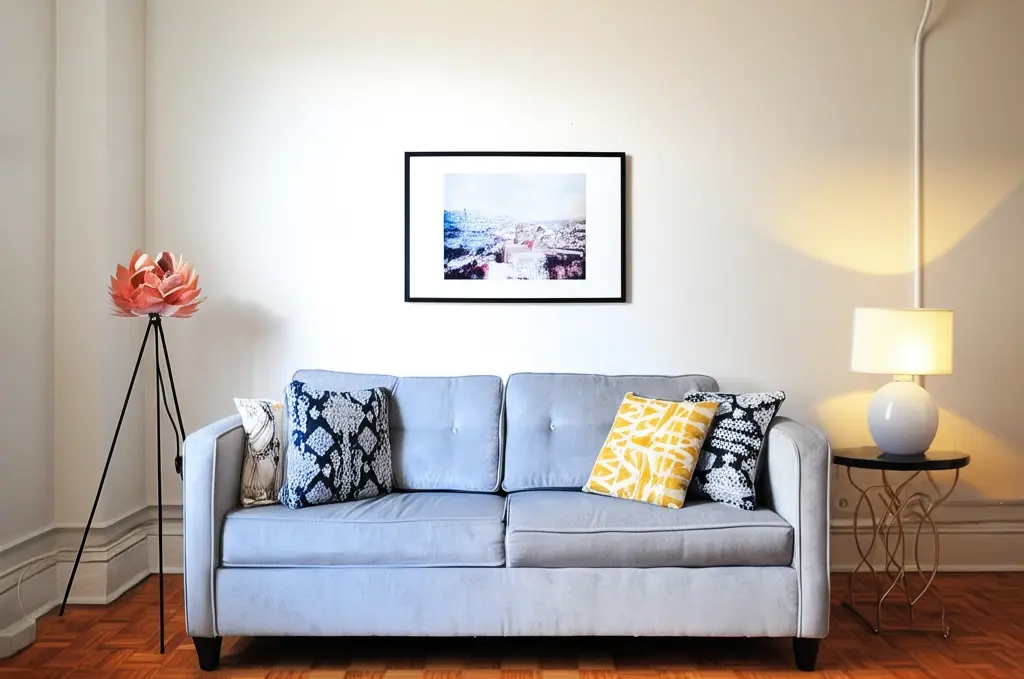
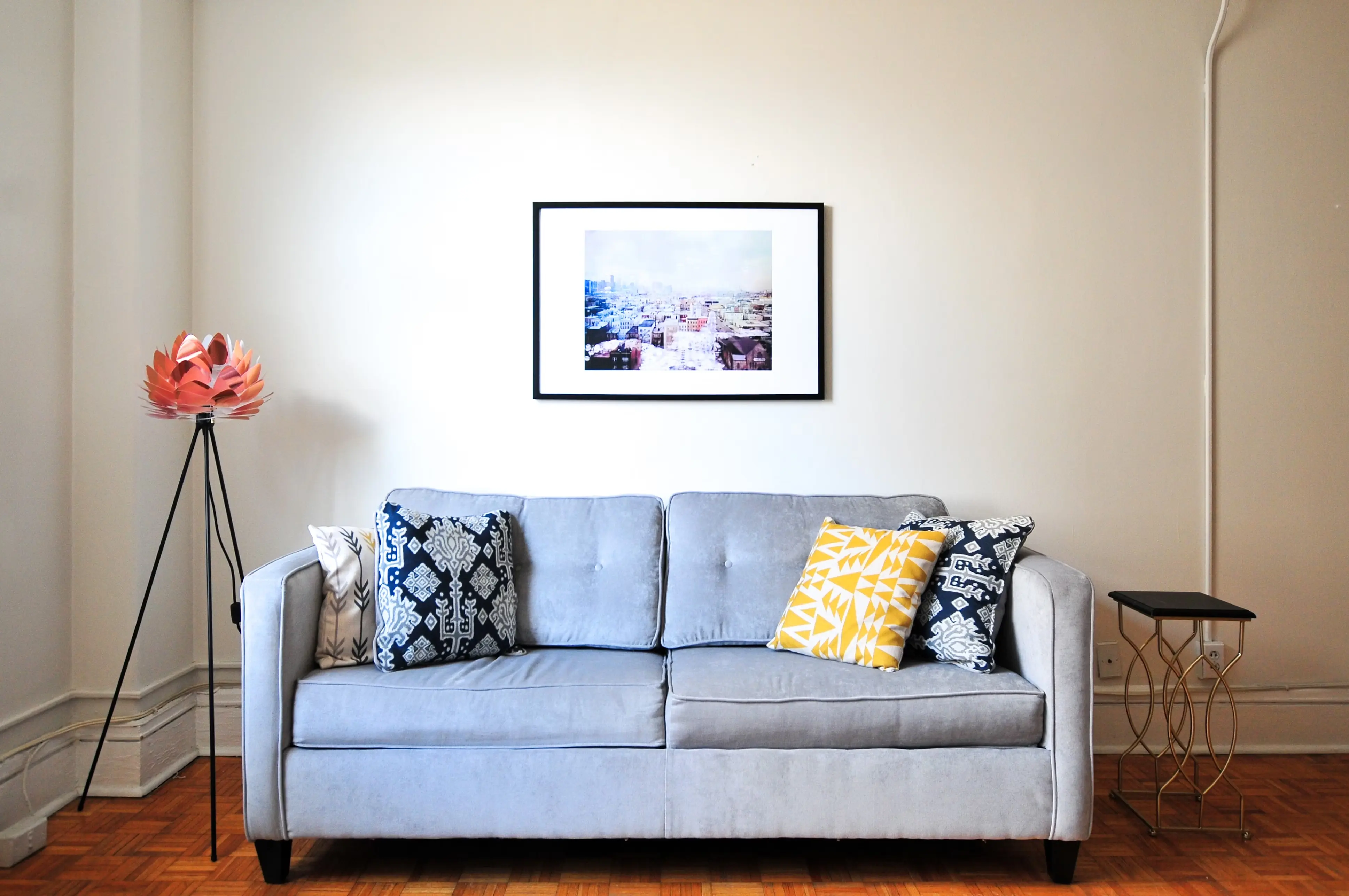
Prompt used
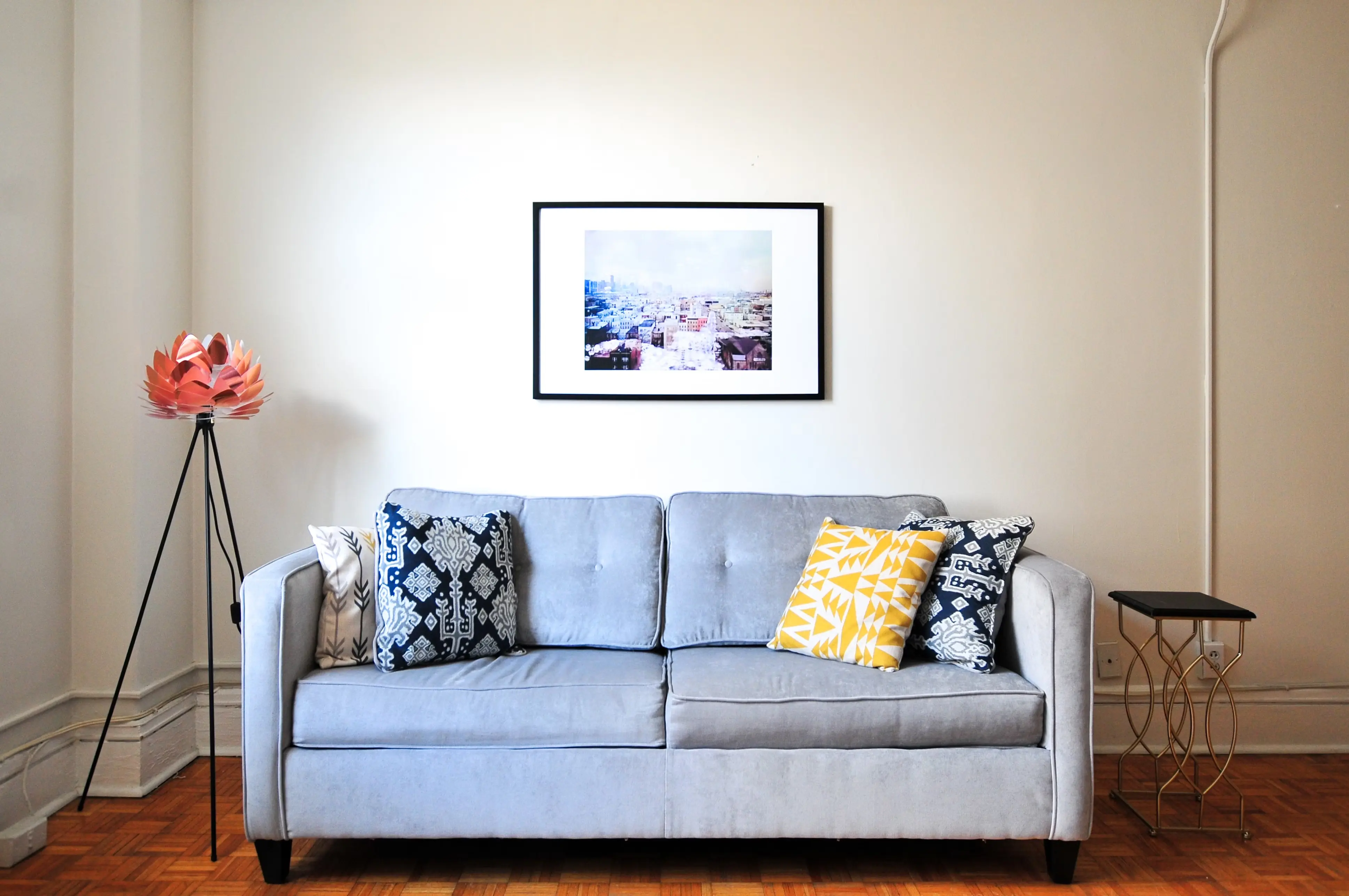
"Add a modern minimalist table lamp with a white lampshade on top of the small side table"
Common questions
Answers to the questions
before you start
Start now
Your next better photo
is one prompt away.
Edit photos with AI in plain language. Start free, make your first change in minutes, and decide later if you want more credits.
Free monthly credits. No credit card required.